
Action
Git-repository
Before I started working on my portfolio, I created a personal Git repository, using Git lab.
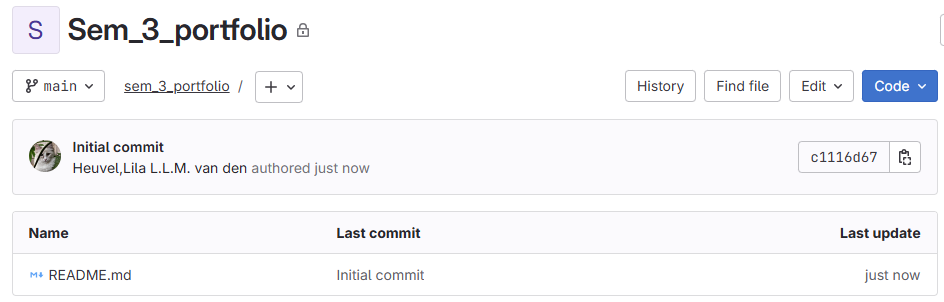
ReadMe in Git
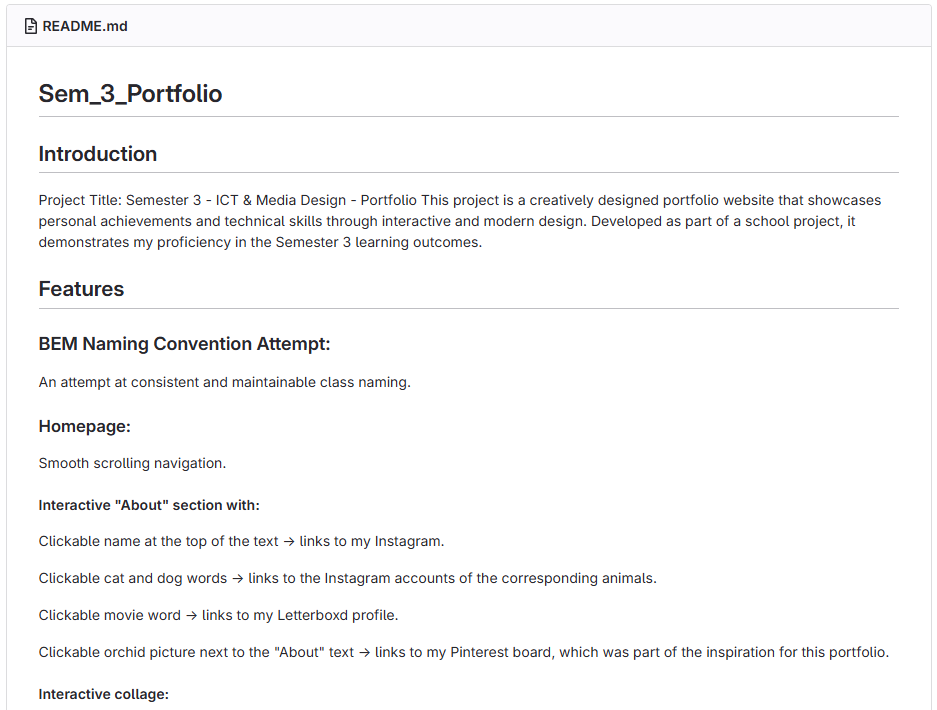
In the link and image above, you can see the ReadMe document I made. I used the ReadMe document I made last semester as a template for this semester, updating it to my current portfolio.
Commits and branches
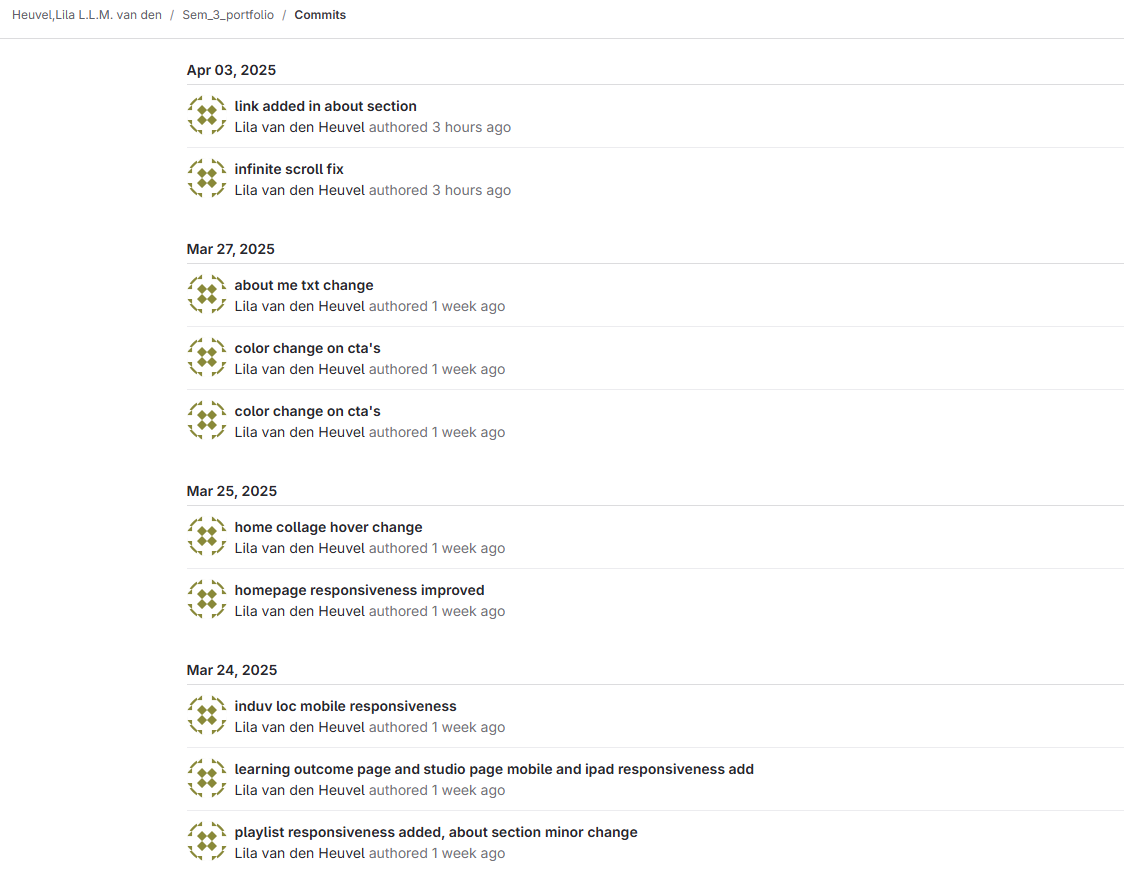
In the image above, you can see some of the commits/ commit messages I made. As opposed to last semester, this time around I tried to make my commits more frequent and my commit messages clearer. I'm not sure if I succeeded at this, but it is an improvement from last semester.
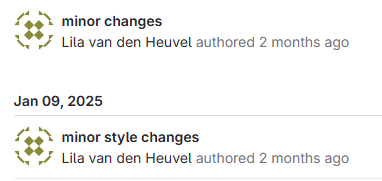
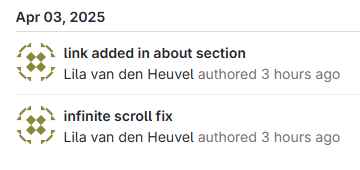
In the first image, you can see an example from last semester, and in the second image, you can see some of the commits from now that are much clearer than the last semester's.
Code documentation
The first example I have for this section of this learning outcome is how I improved my infinite scrolling text from something laggy to something that actually looked like infinitely scrolling text.
In this link, you can see how I first did the infinite text animation. This way, the text would move in and out of the screen. It did continue 'infinitely', but the problem was that it would take a long time to move onto the screen, and it would disappear from the screen for a long time, hiding information in the process. Another problem was that on a big screen, the text would appear in random places on the screen, and this was not supposed to happen. The idea was that the same text would continue behind each other so that you could see it the whole time.
I did not know how I could fix this until one of my teachers gave me a link to a website showing how I could do it.
This website showed me an easy, pure CSS way to do it. One side note is that the text is not actually infinite, but when the pieces of text move off-screen, they restart at the beginning again, making it seem like the animation is infinite, while in reality, it is not. This is visible if you view the website on an extremely wide screen.
In the video above, you can see how the new animation works.
The second example I have for this part of the learning outcome is the comments I added to my code to ensure that it remains understandable even when I haven't looked at it in a long time, or so that others can easily understand the code.
In this link, I added a media query for screens that are 1030px wide or smaller, which is about the size of a tablet. This changes the layout of the playlist section by making it wrap the items and space them out more evenly. It makes the page look cleaner and easier to use on tablets. I also added a short comment above the code to explain what it does.
In this link, you can see the CSS I used to style the collage on the homepage. It's set up as an 8-column, 4-row grid to help layout all the images nicely. I added comments above the code to explain what each part does, and also included some details about the grid setup. There are a couple of small spelling mistakes in the comments, but everything should still be pretty easy to understand.
In these links (CSS and JS), you can see the code that handles the animation for the letters image on the landing section of the homepage. It uses a bit of CSS and JavaScript to make the images switch smoothly. The comments in the code explain what each part is doing, so it's easy to follow.
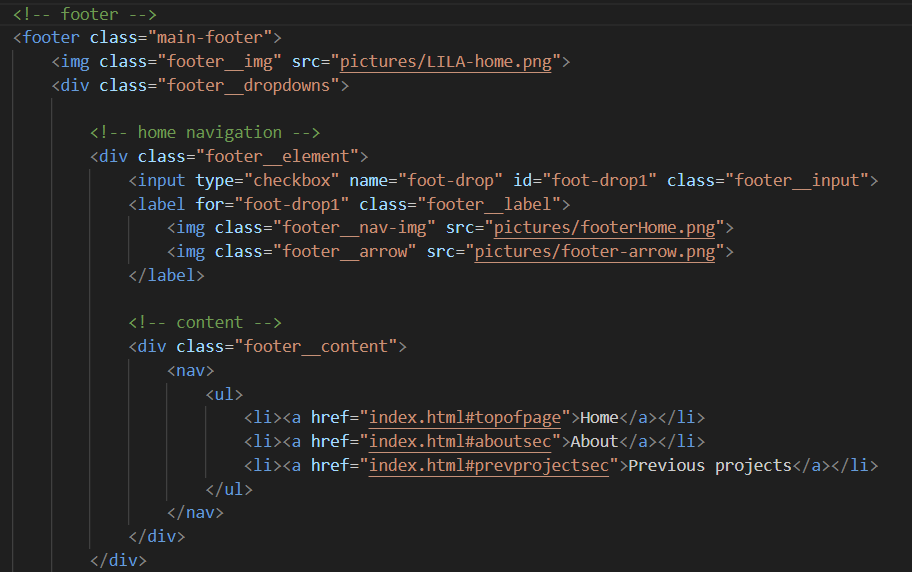
The image below shows a section of HTML for the footer. There's a comment at the top marking it as the footer section. Inside, there's a div for the home navigation (also labeled with a comment), and within that, another div containing the actual nav content — again, clearly commented.
Transferable products
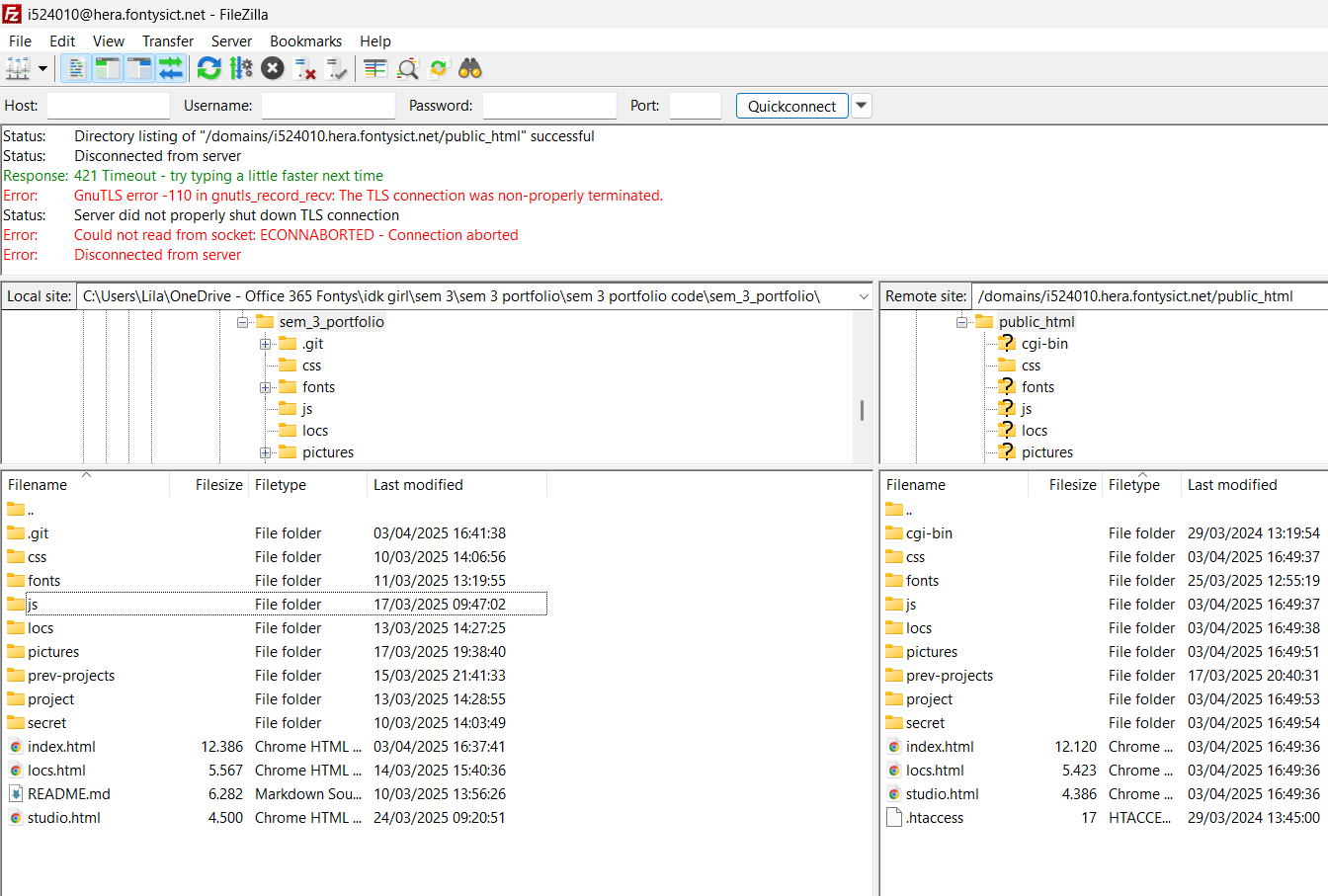
For the transferable products part of this learning outcome, I used FileZilla to host my website on the Hera server.
This example connects to the learning outcome by showcasing file management, web deployment, and server interaction—three transferable skills applicable across various projects and industries.
Feedback
On the 24th of March, I asked for feedback on my code. I did this to check if what I had done so far was correct or appropriate.
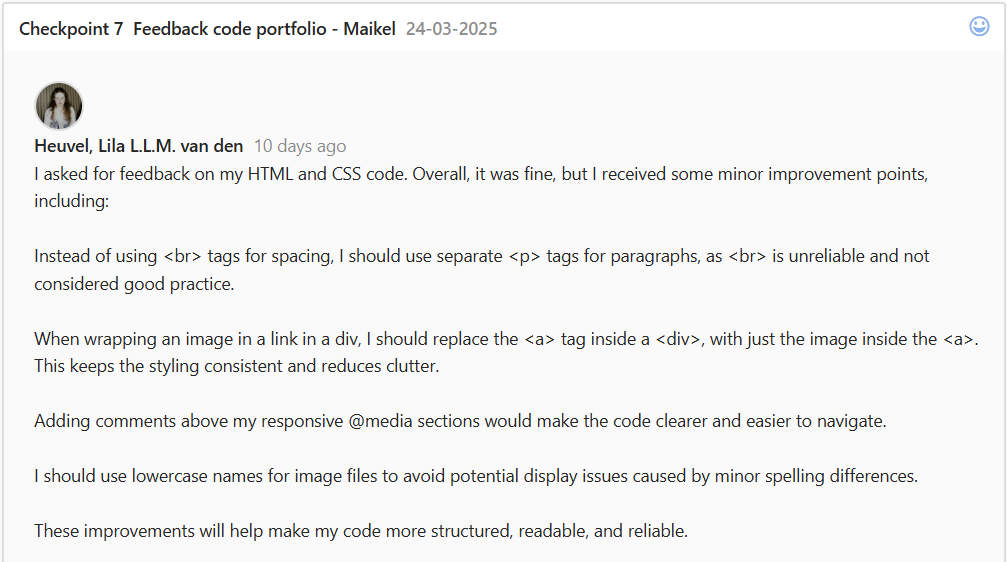
I asked for this feedback for only my HTML and CSS because I had not yet used JavaScript.
The feedback I received was positive overall, but I did get some improvement points. These improvement points included: not using < br> tags, not double-wrapping links, and commenting on my code more.
These are definitely things that I will be keeping in mind/incorporating.
In this link, you can see the last commit of the code that day, so this is the code I showed to the teacher.
Reflection
GIT repo
Reflecting on this part of the learning outcome, I feel like I'm doing okay. I can use git fine on my own. I'm not very experienced with the harder parts of Git, but on a surface level, I think I'm able enough. I can make a repository, clone it, make commits, and link back to specific lines.
In the future, I do hope to better my Git skills because it's an important part of coding and working in a team; therefore, I found it a bit disappointing that the group project did not require us to code. I plan on improving my skills as my study goes on.
ReadMe
Reflecting on making the ReadMe document, I feel like I made a simple one, but it does include some possibly important/helpful things, like navigation and existing links. I look up to making the document most of the time, but I do see the importance of having one.
In the future, I hope to also improve my ReadMe document skills.
The feedback I received on my ReadMe document said that it was good and extensive.
Commits and branches
For making commits, I do feel like I have improved from last semester, but I also think that there is still a lot to improve. Sometimes I forget everything that I have changed, so the commit message is not complete. This makes it slightly harder to find something when I'm looking back later. I will try to keep improving on this part until it's not a mystery anymore every time I make a commit.
For the branches part, I did not get to do anything for this part. This is because for the group project, we did not have to code anything; therefore, we did not have a Git and we did not create branches. For my portfolio, I would not even know how to/why I would create branches because it's just me continuing on one project for the whole semester. So, creating branches is not necessary in my case.
Code documentation (improvement on code)
Reflecting on this part, I learned that it is okay to just ask my teacher immediately for help instead of trying to do something for a long time that was not working. Because after I asked for help, my problem was fixed in max. 10 minutes.
In the future, I will keep trying to do it by myself at first, but if it's not working after an hour, I will ask for some professional help.
Code documentation (comments on code)
I believe I am doing okay in adding comments to my code, which helps me understand it when I revisit it later. However, I can improve the wording of my comments to make them clearer for others who may need to read my code.
One aspect I am confident in is how I organize my CSS by dividing styling into different sections for each page. This structure makes it easy to see which styles belong to which page.
I also asked my peers and used ChatGPT to help me make my comments better.
Moving forward, I will continue refining my comments to ensure they are even clearer and more helpful for both myself and others.
Conclusion
In conclusion, I still have a lot to learn and practice, but I am going to keep practicing and improving as I go on.
View full documentation here