(Group project)
Explanation
You create engaging concepts and translate them into interactive validated media products by applying user-centered design principles, visual design techniques and by exploring emerging trends and developments in media, design and technologies.
In this example of the learning outcome CDDIMP, I will be showing what I did for the group project that applies to this learning outcome.
Action
Target audience
Definition: The target audience for this group project is the rappers for whom we are creating the video. Since the video is meant to represent their music and artistic vision, it must align with their style and personal preferences.
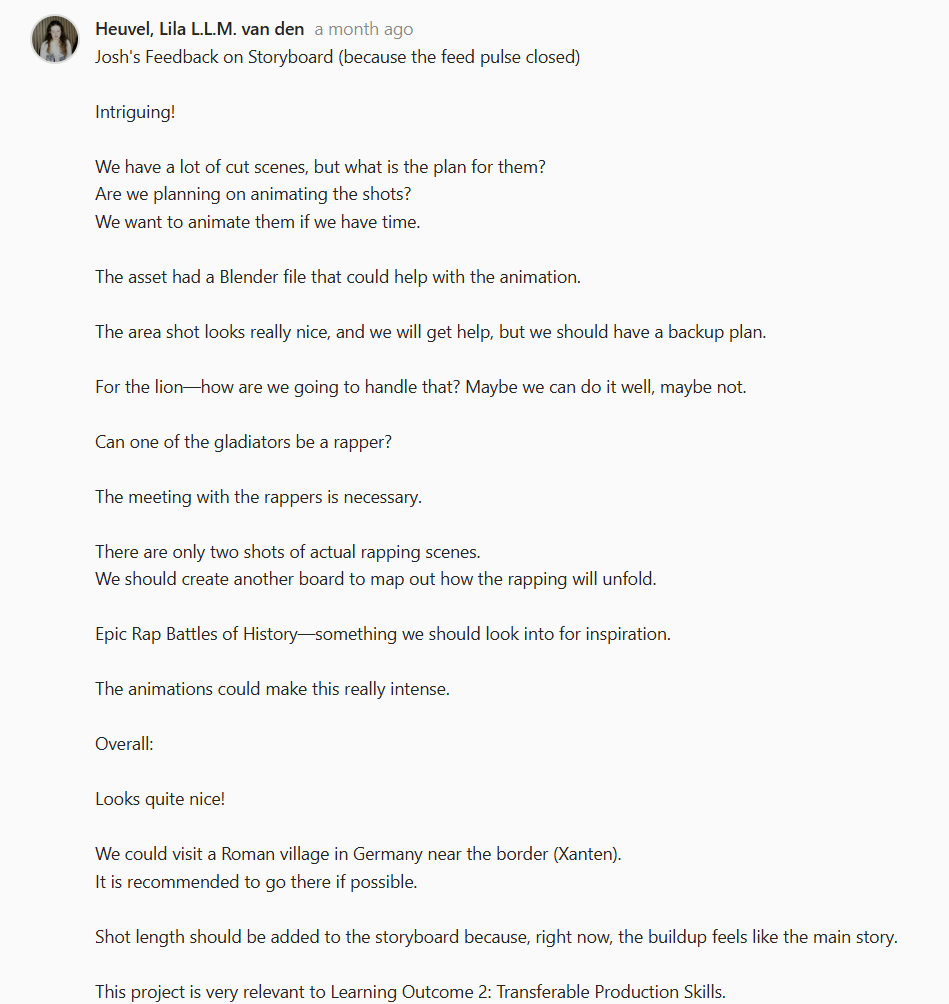
Validation: To ensure that our products meet the target audience's needs, we asked for feedback.
Concept
The concept of the video/Unreal environment we have to make is the Roman Colosseum.
To reflect this concept, we all made posters individually.
I first made a Pinterest board to get some inspiration. I chose these pictures because they represented what we were going to make the most, a Colosseum with Roman elites on a balcony.
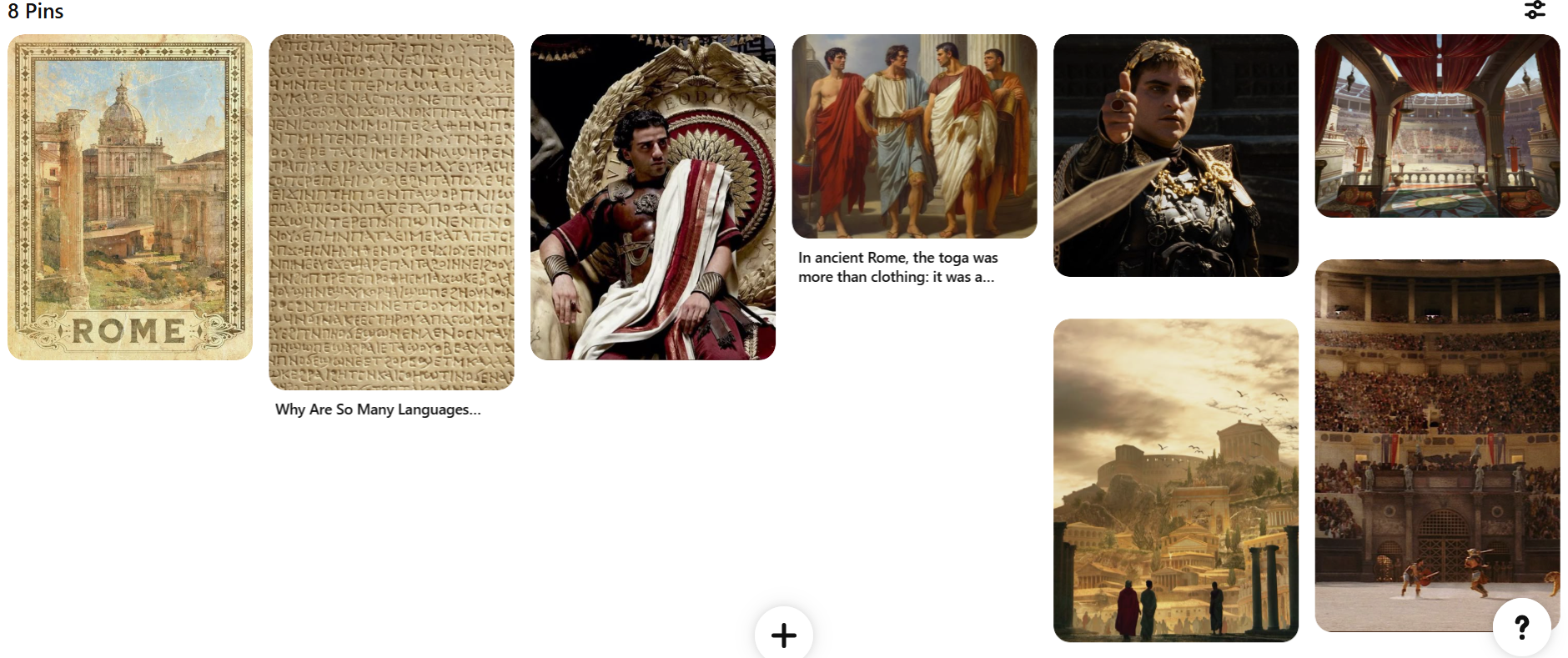
After making this board, I started creating the poster.
I first made a bunch of iterations for the poster until I was satisfied with one.
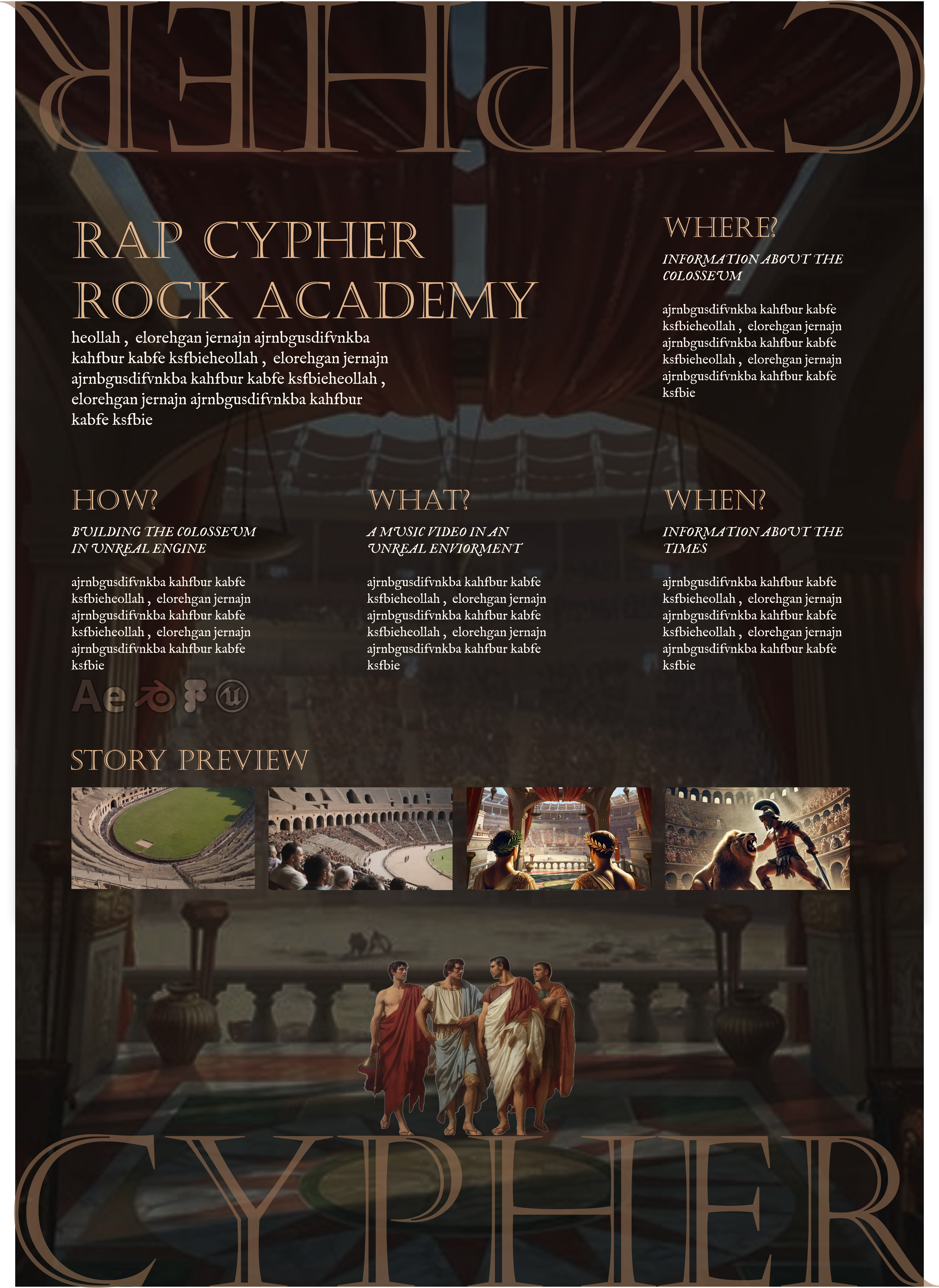
In the image above, you can see the version I created in Figma that I was satisfied with and the one I asked for feedback on.
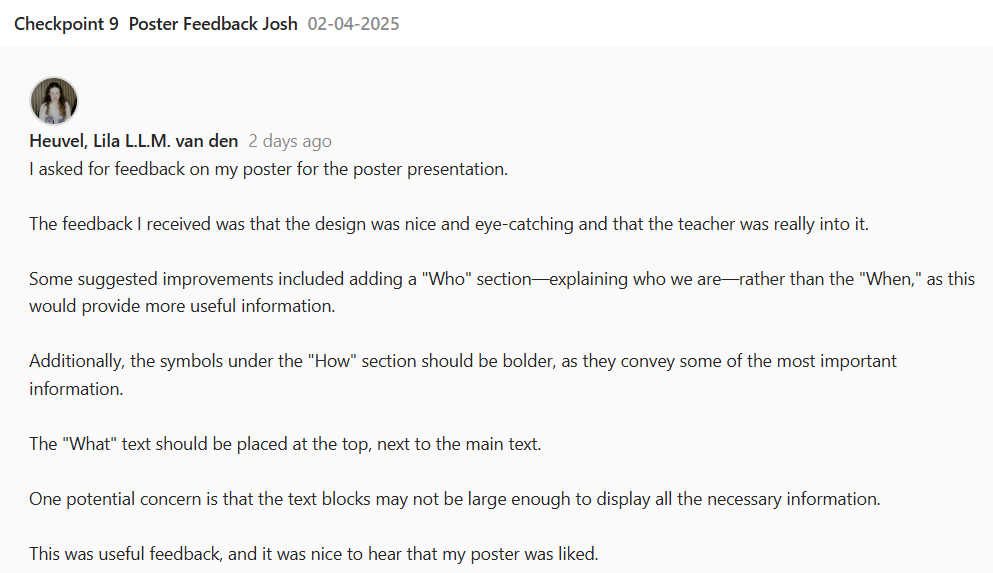
The feedback above states that the design I made was nice and eye-catching, but I did get some suggestions to improve it even more.
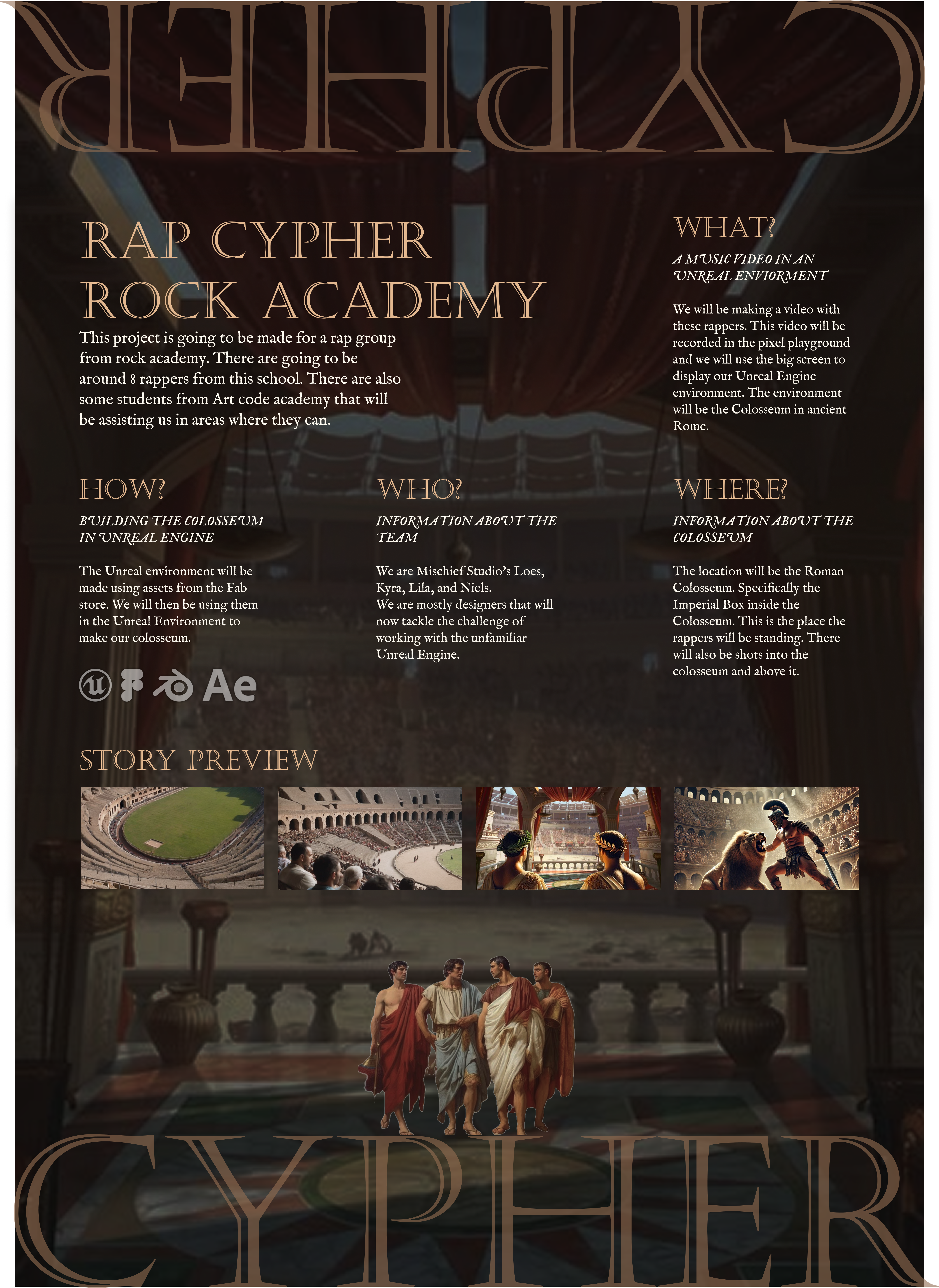
In the image above, you can see the final poster I made with the feedback incorporated. Unfortunately, my poster was not chosen as the final poster.
Story boards
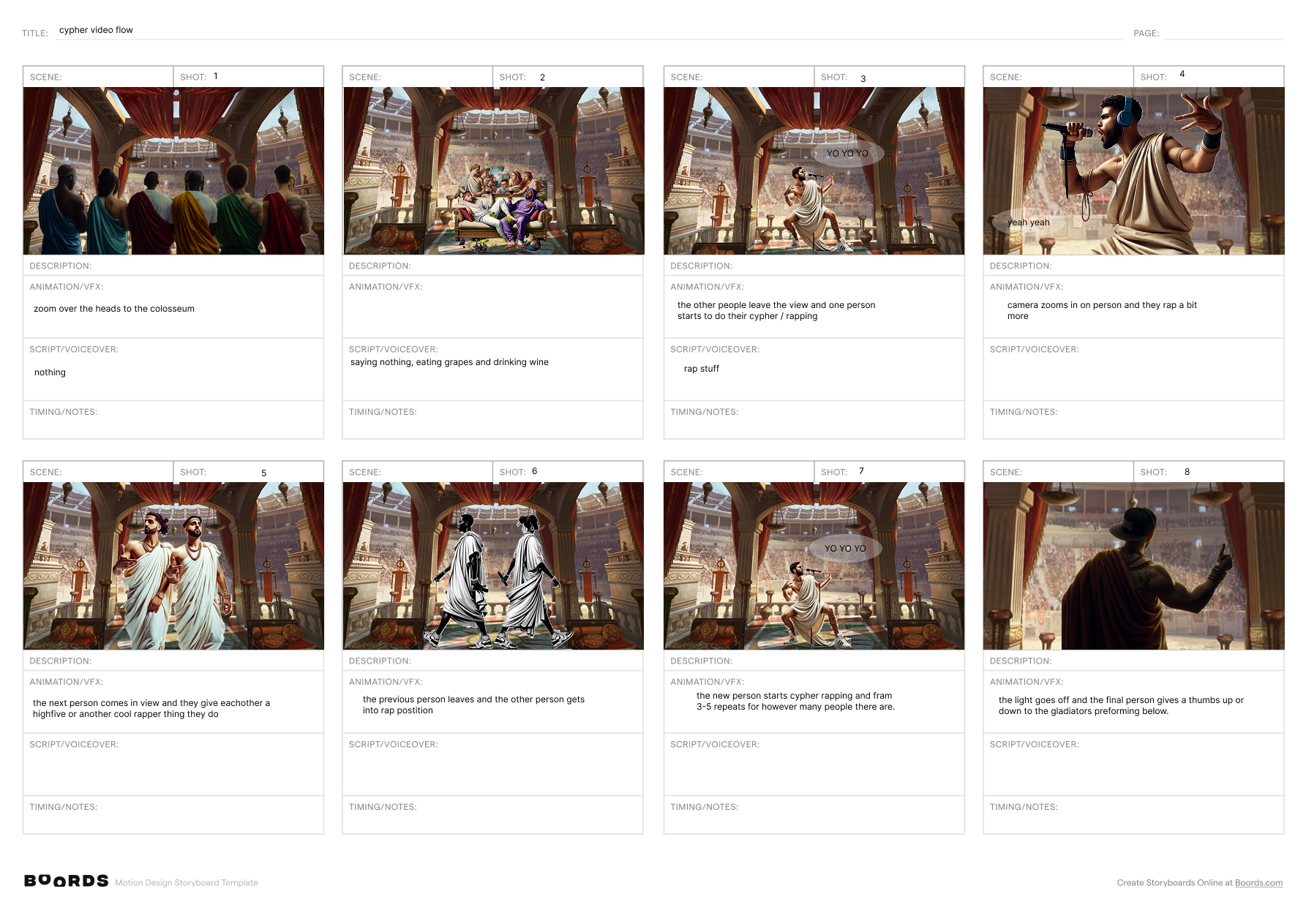
In the first image, you can see the storyboard I made. The feedback I received on this was that it was liked how consistent I kept the images.
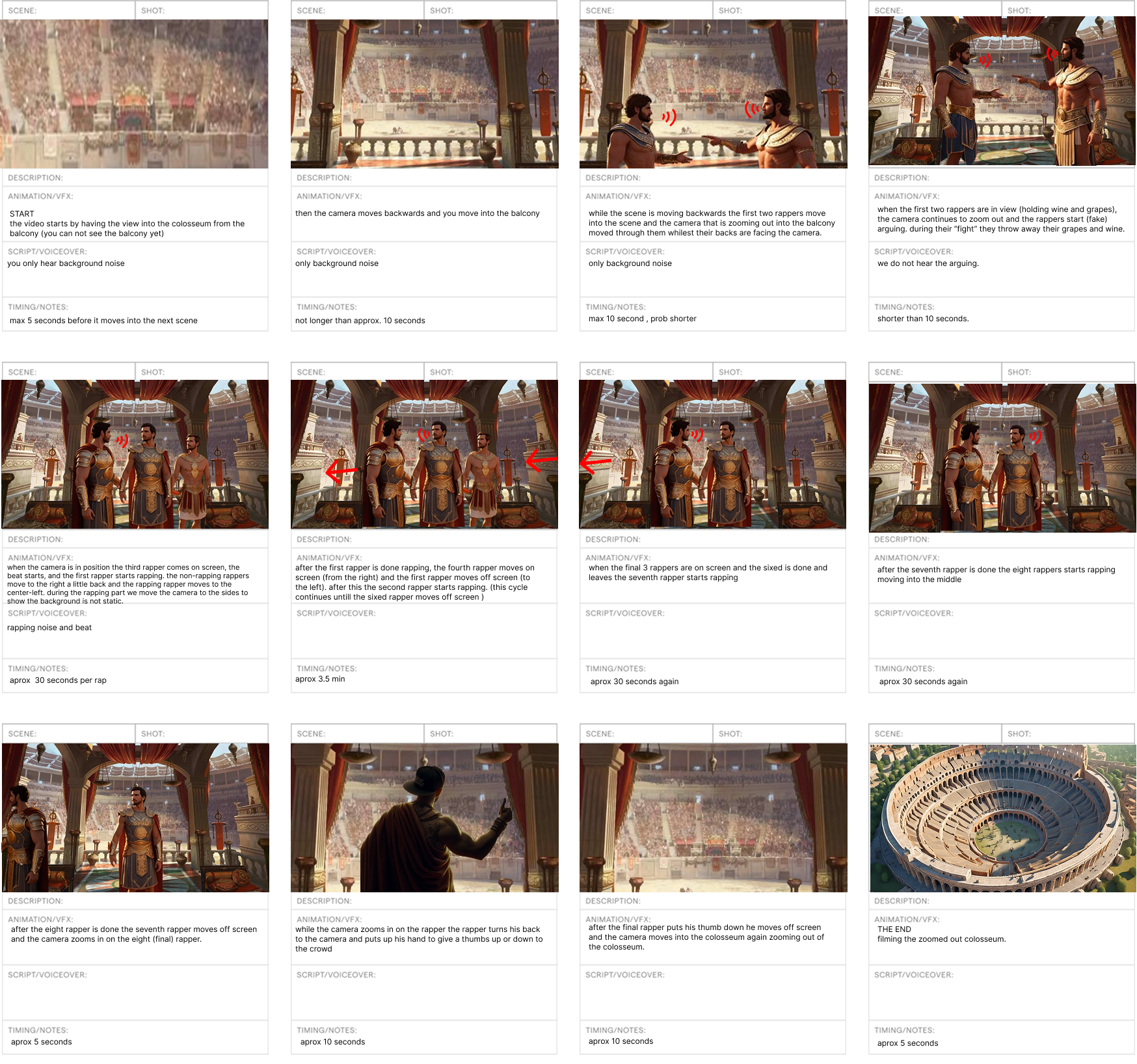
In the last image, you can see the final version of the (combined) storyboard. We received feedback on this storyboard from our teacher and implemented that feedback where we thought necessary.
In this storyboard, I added more descriptive texts, and I also added the time each frame would take. During the actual test shooting, we found out that the storyboard was not fully usable because we found out that there were fewer rappers than we were initially told were going to be there. But we adapted and changed how the rappers were going to stand, with input from the rappers themselves.
Exploring technologies
Unreal Engine:
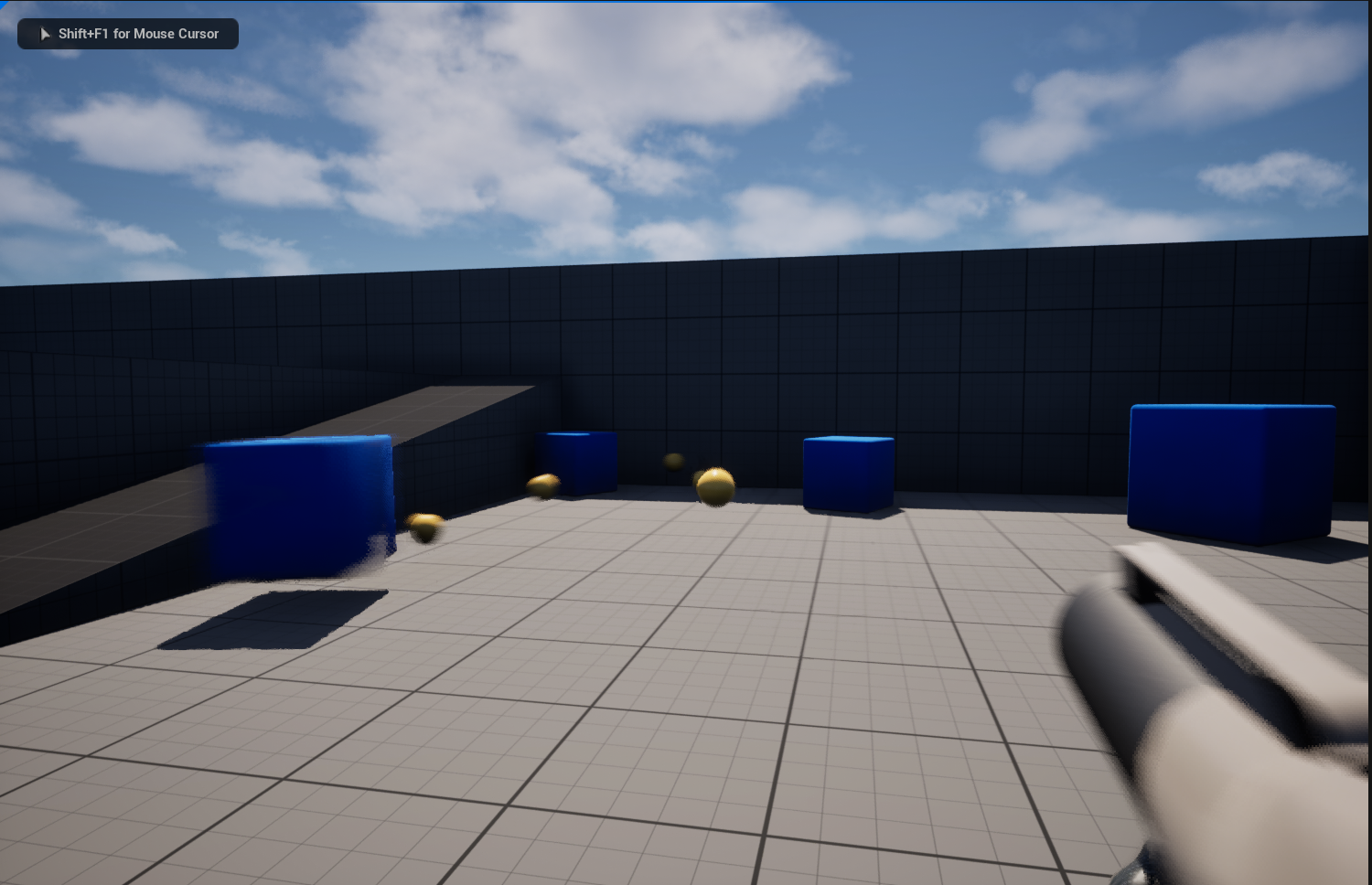
For this project, we used a new technology called Unreal Engine. This is a 3D environment creator. This technology was used to make the colosseum we use in the background of the music video. I did not contribute to making the actual environment, but I did participate in the discussions regarding how we might make things look, so the design thinking part.
I did try some things out using Unreal Engine. Like exploring the different premade environments and adding different objects and scaling them. The things I did were really surface-level, but they did help me understand what my group member was doing to create the colosseum. So, even though I did not do much in Unreal, I did learn some new things, which are useful as I have chosen game design for the next semester.
DaVinci Resolve:
Another software I explored during this project was DaVinci Resolve. This is an editing application that gives me the ability to color grade, cut, edit, and change sound. This was used to edit the rap cypher in post-production.
At first, I did not know anything about DaVinci, but after watching a few YouTube videos, I slightly got the hang of it.
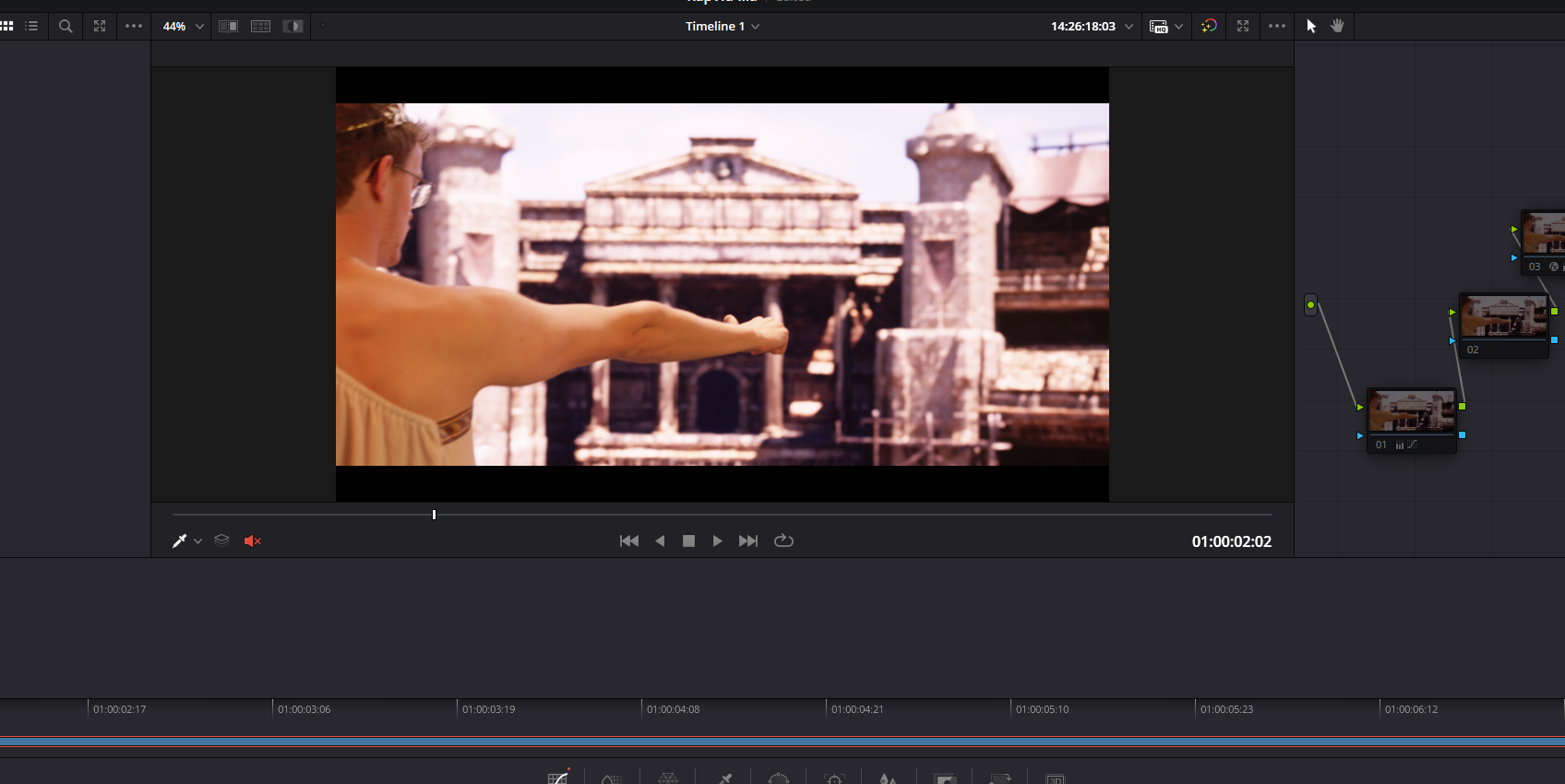
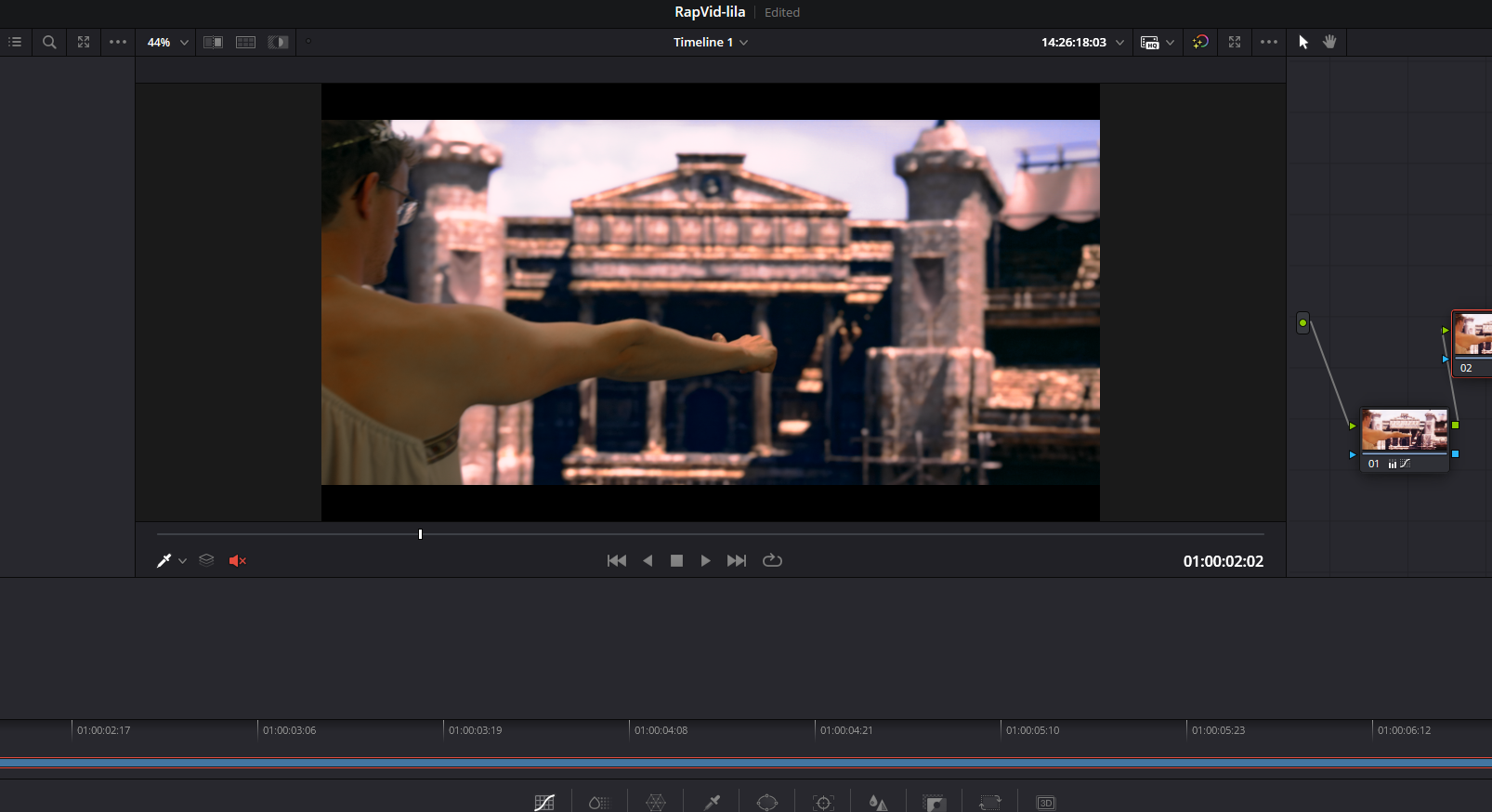
In the first image above, you can see the raw RED footage, and in the second image, you can see the color-graded version. The color-grading was a very important part of post-production because it brought out the highlights and made the colors look more realistic. An example of this is the colors in the sky. In the first image, you cannot see any detail, but in the second image, you can see that the sky is actually blue and that there are clouds. The way I color graded the footage was by using nodes. This was a very helpful feature because this way, if I made a change, I could do it in a different node, and if I then did not like the change, I could easily remove it again.
Reflection
Looking back at the poster, I believe mine conveyed the concept most effectively. Because of this, I was a little disappointed that it wasn't chosen. I wasn't entirely satisfied with the final poster we went with, but I understand that working in a group means making compromises, and things won't always go the way I want.
Regarding the storyboard, I feel that I did a decent job, considering the limited information we received. Despite the challenges, I was able to create something functional. I'm also satisfied with the near-final version we developed as a group, as our combined ideas helped improve the initial version.
Reflecting on my experience with Unreal Engine, I realize that building the Colosseum was a significant part of the project, and I regret not contributing to it. At that time, I struggled with performance issues on my laptop, which made working on such a large scene challenging. However, I now understand that I shouldn't let hardware hinder my participation. In the future, I will explore ways to navigate technical limitations — such as using smaller assets, contributing in modular parts, or collaborating differently — instead of stepping back entirely.
I'm also considering upgrading my laptop since I plan to continue in game design and will be using Unreal Engine more intensively. Despite the challenges, I enjoyed experimenting with Unreal on a smaller scale and got to practice using some of its tools. Going forward, I want to be more proactive in contributing to group environments, even if it means finding creative solutions when faced with technical issues.
Reflecting on my experience with DaVinci Resolve, I feel that I had a valuable opportunity to develop my editing skills. I especially enjoyed learning how to enhance footage through color correction — something I previously had no experience with. In the past, if a video didn't look right, I would often scrap it entirely. Now, I've learned how to improve and salvage that kind of footage, which feels like real progress.
While I still have a lot to learn, I'm proud of the steps I've taken so far. In the future, I plan to continue practicing with DaVinci Resolve to improve both for educational purposes and for my personal video projects.
View full documentation here